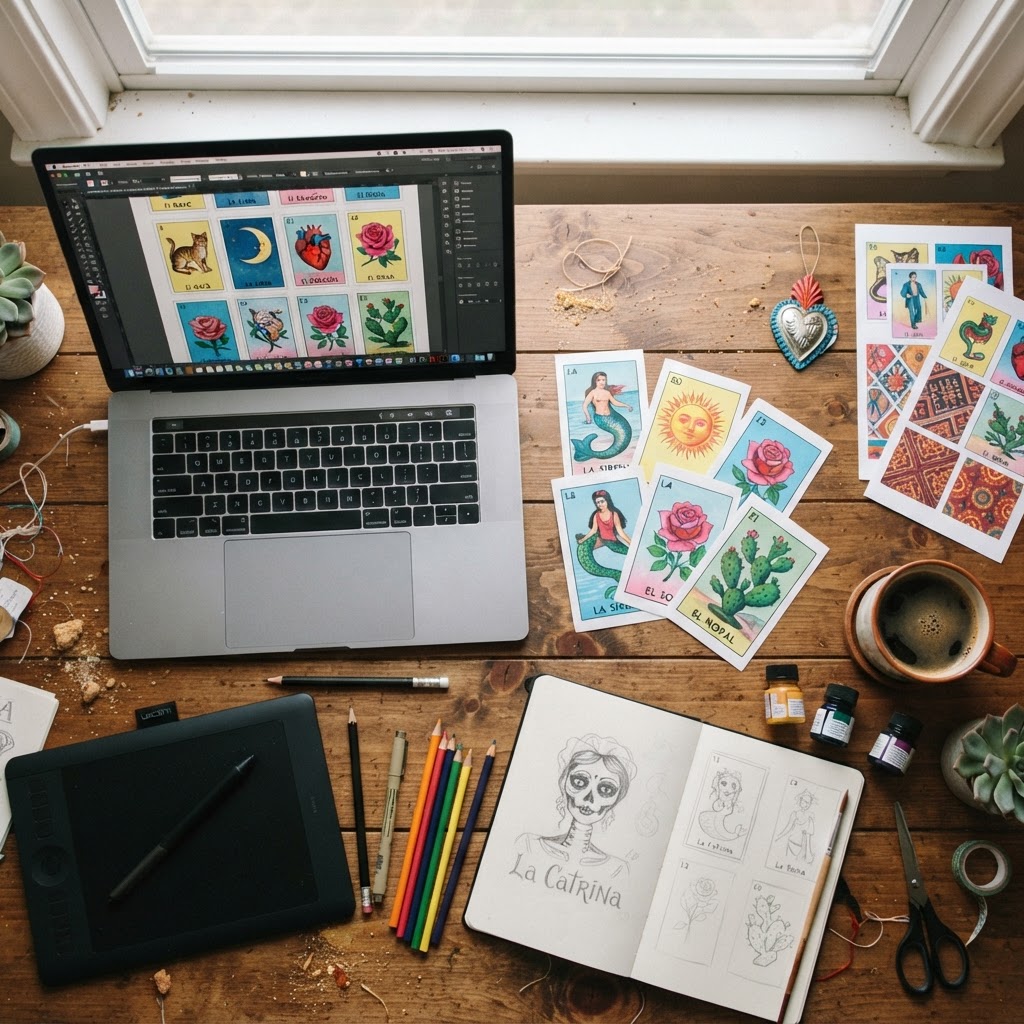
There's something magical about sitting around a table playing Lotería with the people you love — and something even more special about playing with a deck that's entirely your own. Whether you want to feature your grandmother's face on La Abuela card, turn your dog into El Perrito, or build a themed deck for a wedding or baby shower, knowing how to make custom Lotería cards opens up a world of creative possibilities.
This guide walks you through the complete process — from gathering your photos to exporting a print-ready PDF — using Modern Lotería Studio, a web app designed specifically for creating personalized Lotería decks with AI cartoonification. No design experience required. Just your photos, your creativity, and about 30 minutes.
Here's exactly what we'll cover: choosing a theme, uploading photos, customizing card text, building your tablas, and getting your deck ready to print or share. Let's get started.
What You Need Before You Start Making Custom Lotería Cards
A little preparation before you open the editor will save you time and produce better results. Here's what to have ready:
- A collection of photos — family portraits, pet photos, friends, landmarks, or any images that fit your theme. Aim for clear, well-lit shots with simple backgrounds.
- A clear occasion in mind — birthday party, wedding, baby shower, family reunion, classroom game, or Día de los Muertos celebration. Your occasion will guide your theme and card count.
- A rough idea of how many cards you want — traditional decks have 54 image cards, but your custom deck can be any size.
- A sense of how many players you're hosting — this determines how many tablas (game boards) you'll need to generate.
- A Modern Lotería Studio account — the platform is credit-based with no subscription required, so you only pay for what you create. See pricing to understand how credits work before you start.
How Many Cards Does a Lotería Deck Need?
Traditional Mexican Lotería, made famous by the Pasatiempos Gallo brand in the 1800s and still played widely today, uses 54 image cards (the mazo) and a set of tablas — boards with a 4×4 grid showing 16 of those 54 images arranged in random order. Each player gets a tabla, and the caller draws cards one by one until someone fills their board.
That said, custom decks can be any size. A quick game at a birthday party might only need 20–30 cards. A classroom spelling game might use exactly as many cards as there are vocabulary words. Modern Lotería Studio doesn't lock you into 54 — build the deck that fits your occasion.
Step 1: Choose Your Theme and Style
Before you upload a single photo, choose your visual theme. Modern Lotería Studio offers 12 theme presets, each with its own card border design, typography, and color palette. The theme you pick will give your entire deck a consistent, polished look — so it's worth spending a minute making the right choice.
Choosing the Right Theme Preset for Your Occasion
Here's a quick-reference guide to matching themes to occasions:
- Weddings: Midnight Glam (dark, elegant, moody) or Lavender Dream (soft, romantic, ethereal)
- Baby showers: Soft Pastel (gentle, clean, sweet) or Candy Pop (playful, colorful, fun)
- Birthday parties: Tropical Pop (bold, vibrant, festive) or Fiesta Modern (bright colors, contemporary feel)
- Día de los Muertos: Earth Folk (warm terracotta and marigold) or Classic Vibrant (traditional bright palette)
- Quinceañeras: Lavender Dream or Midnight Glam for a formal feel
- Classrooms and educational use: Any clean, high-contrast theme works well — Fiesta Modern or Classic Vibrant are easy to read
Each theme affects more than just color — it changes how card titles are displayed, the texture and style of borders, and the overall visual weight of the card. For more inspiration, see our guides on custom Lotería cards for weddings and custom Lotería cards for baby showers.
Step 2: Upload Your Photos and Apply AI Cartoonification
This is where your deck really comes to life. In the Modern Lotería Studio card editor, you upload a photo directly to each card. The AI cartoonification engine then transforms that photo into an illustrated, stylized image that looks like it belongs on a Lotería card.
To get the best results from the AI, keep these photo tips in mind:
- Use clear, well-lit photos — natural light or even indoor lighting works well; avoid heavy shadows across faces
- Simple or uncluttered backgrounds help the AI focus on the main subject
- Faces should be clearly visible — avoid sunglasses, extreme angles, or partially cropped faces if you want strong facial recognition in the cartoon
- Higher resolution is better — sharper source images produce sharper cartoonified results
How AI Cartoonification Transforms Your Photos
The AI cartoonification process analyzes your photo and renders it in an illustrated style — think bold outlines, simplified color fields, and a hand-drawn aesthetic that's consistent with the visual language of traditional Lotería artwork. The result isn't a filter or a simple effect; it genuinely looks like an illustrated card rather than a filtered photograph.
One thing that makes this process work at a deck level (not just a single card level) is Style Lock technology.
What Is Style Lock Technology?
Style Lock is a feature built into Modern Lotería Studio that ensures every card in your deck is visually consistent. When you cartoonify photos across a 54-card deck, there's a risk that different photos will produce slightly different artistic styles — some cards looking more detailed, others more abstract, some with warmer tones.
Style Lock prevents that. It anchors all the AI-generated illustrations to the same visual style parameters, so your grandmother on card 3 and your dog on card 27 look like they came from the same artist. For a deck you're printing and handing to guests, that cohesion is what separates a homemade-looking result from something that genuinely impresses.
Step 3: Customize Your Card Titles, Subtitles, and Layout
Every Lotería card has a name — La Sirena, El Gallo, El Sol. In your custom deck, you get to decide what those names are. This is one of the most fun parts of the process.
In the editor, each card has fields for:
- Card title — the main name displayed on the card (e.g., "La Abuela," "El Perrito," "La Novia")
- Subtitle — an optional second line for extra personalization (a nickname, a fun descriptor, a date, or a short phrase)
Keep titles short, punchy, and in the spirit of the game. Traditional Lotería titles follow a "La/El/Los/Las + noun" format, and sticking with that convention (even loosely) makes your deck feel authentic. "El Campeón," "La Reina de la Cocina," or "El Bebé Nuevo" all work perfectly.
You can also adjust card layout options within the editor to fine-tune how text and image are positioned on each card.
Can I Make a Words-Only Lotería Deck?
Yes — Modern Lotería Studio supports words-only decks with no images. This feature is particularly useful for classrooms, where Lotería can become a powerful vocabulary or spelling game. Teachers have used words-only decks for sight word practice, Spanish vocabulary review, and even math fact games. If you're building a deck for educational use, this option gives you full flexibility.
Step 4: Build Your Tablas (Lotería Boards)
In Lotería, the tabla (also called a board or card) is what each player holds during the game. It's a 4×4 grid showing 16 cards from the deck, arranged in a unique random order. As the caller announces each card, players mark their matching squares — traditionally with a bean or bottle cap — until someone completes a row, column, or full board and calls "¡Lotería!"
Modern Lotería Studio generates your tablas automatically based on the cards in your deck. You specify how many tablas you need, and the app creates unique board layouts for each player — no two tablas are identical.
How many tablas should you create?
- For a group of 10–15 players, generate at least 15–20 tablas so you have extras
- For large parties or events, create enough for your full expected guest count plus 10–15% extra
- For classroom use with 30 students, generate 30–35 tablas
Tablas are included in the print-ready PDF export alongside your cards — everything you need is in one download.
Step 5: Export and Print Your Custom Lotería Deck
Once your cards and tablas are ready, it's time to export. Modern Lotería Studio generates a print-ready PDF that you can take straight to a home printer or a professional print shop.
Letter 1-Up vs. Multi-Card PDF Layouts Explained
The app offers multiple export layout options, each suited to different printing needs:
- Letter 1-up: One card per page, full-size. Best for display purposes, large-format games, or when you want maximum image quality on each card. Not efficient for printing large decks.
- 2-up: Two cards per letter sheet. A good middle ground if you want slightly larger cards without wasting paper.
- 6-card, 8-card, 9-card, or 12-card sheets: Multiple cards per page, scaled to fit. These are the most efficient layouts for printing a full 54-card deck at home or at a print shop. A 9-card or 12-card layout means your full deck fits on just 6–7 sheets of paper.
Printing tips:
- For home printing, use 110 lb. cardstock if your printer supports it — cards will feel more substantial and hold up to repeated play
- For the best results, use a local print shop or online print service (like FedEx Office or Canva Print) and request cardstock with matte or gloss finish
- Print a single test sheet before running the full deck to check sizing and color accuracy
- A paper trimmer (guillotine cutter) will give you cleaner cuts than scissors
How to Share Your Deck Digitally with a Public Link
Not printing? Modern Lotería Studio lets you share your completed deck via a public shareable link. This is ideal for remote family game nights, sharing your deck design with guests before an event, or playing digitally without any printing at all. Simply generate the link from your dashboard and send it to whoever you want to share with.
Tips for Making Your Custom Lotería Cards Look Professional
A few small choices make the difference between a deck that looks impressive and one that looks rushed:
- Use the highest resolution photos you have — pull from your camera roll or cloud storage, not screenshots
- Keep card titles short — 1–4 words is ideal; long titles get cramped and hard to read during gameplay
- Stick to one theme throughout — don't mix themes between cards; the whole point of Style Lock is visual cohesion, so let it work
- Print on cardstock — regular printer paper feels flimsy and bends easily during play
- Consider laminating your tablas if they'll see a lot of use — they'll last much longer
For a deeper dive into design choices, read our full article: How to Make Lotería Cards Look Professional: 7 Design Tips.
And if you'd prefer to start with a finished deck rather than building from scratch, browse our store of ready-made decks that you can play immediately or customize further.
Frequently Asked Questions About Making Custom Lotería Cards
How many cards are in a Lotería deck?
A traditional Lotería deck contains 54 image cards. Each player's tabla (game board) shows a unique 4×4 grid of 16 of those cards. Custom decks made with Modern Lotería Studio can be any size — you're not locked into 54.
Can I make my own Lotería cards at home?
Absolutely. With Modern Lotería Studio, you can upload your own photos, customize the design, and export a print-ready PDF to print at home or at a local print shop. No graphic design skills needed.
What is the difference between Lotería cards and tablas?
Lotería cards are the individual image cards drawn by the caller during the game — like a deck of playing cards. Tablas are the boards held by each player, showing a 4×4 grid of 16 randomly arranged images from the deck. Players mark off their tabla squares as matching cards are called.
How long does it take to make a custom Lotería deck?
With your photos ready to go, most users complete a full custom deck in 30–60 minutes. A smaller deck (20–30 cards) can be done in under 30 minutes. The AI cartoonification processes quickly, and the editor is intuitive enough that you won't spend a lot of time figuring out where things are.
Do I need design experience to make custom Lotería cards?
Not at all. Modern Lotería Studio is built for people who have zero design background. You upload your photos, choose a theme, type in your card titles, and the app handles the visual design work. The AI cartoonification and Style Lock technology do the heavy lifting.
How much does it cost to make a custom Lotería deck?
Modern Lotería Studio uses a credit-based model — you pay for what you create, with no monthly subscription. See the current pricing for a full breakdown of credit costs per card and deck size.
Can I share my deck without printing it?
Yes. Every completed deck can be shared via a public link, allowing guests or players to view and use the deck digitally without any printing required.
Ready to Make Your Custom Lotería Deck?
Making custom Lotería cards used to mean hours of manual design work or expensive custom printing services. Now, with Modern Lotería Studio, the whole process — from photo upload to print-ready PDF — takes less than an hour, looks genuinely professional, and requires zero design experience.
Whether you're planning a birthday party, a wedding, a family reunion, or just want to create something meaningful to share with the people you love, your custom deck is waiting to be made.
Gather your photos, pick your theme, and create your custom Lotería deck today — your guests will be talking about it long after the last bean is placed.


