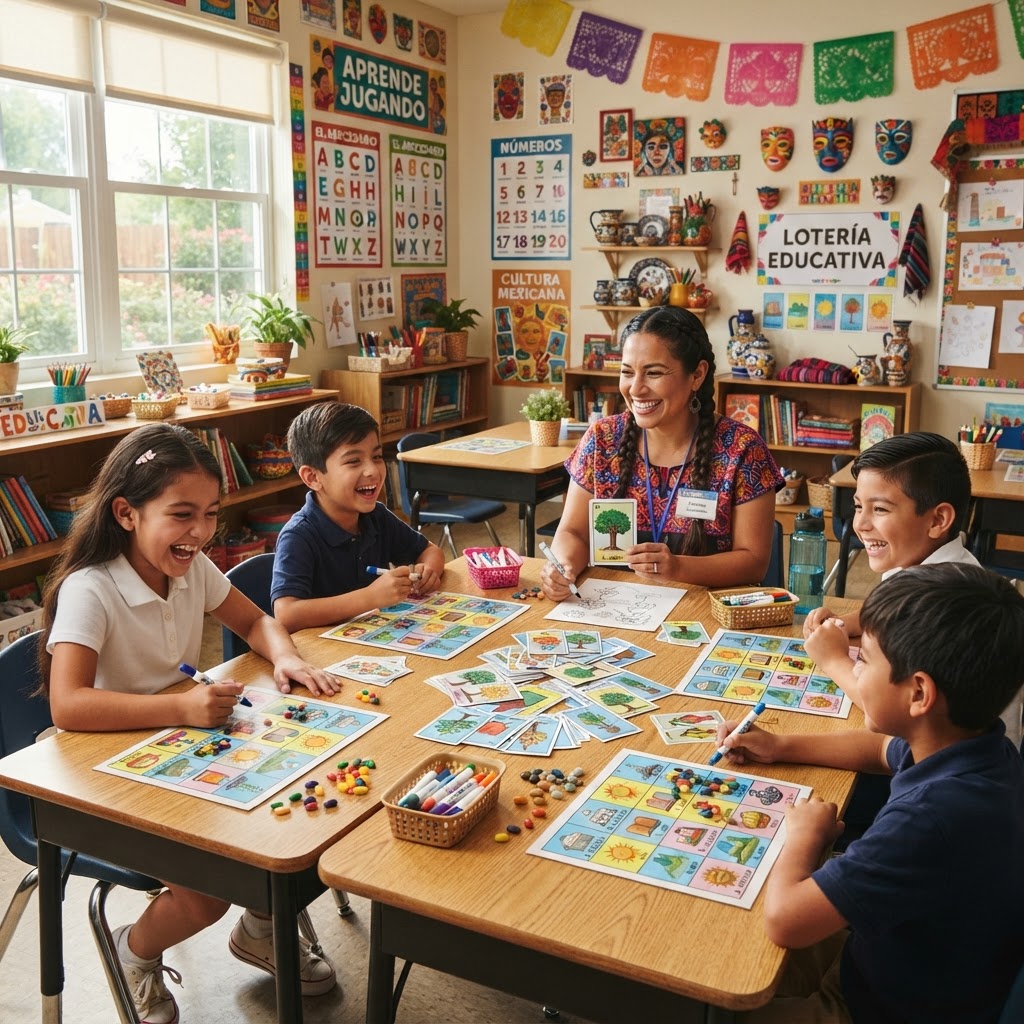
Why Lotería Is the Perfect Classroom Learning Game
If you've ever watched a room full of distracted students suddenly lean forward, eyes bright, completely absorbed in a game — you already know the power of play-based learning. Classroom Lotería learning games tap into that energy while delivering real curriculum value. Whether you're drilling sight words in first grade, reinforcing Spanish vocabulary in a bilingual classroom, or reviewing science terms before a unit test, Lotería's bingo-style format is remarkably flexible. This guide walks you through exactly how to design, build, and run a custom educational Lotería deck using Modern Lotería Studio — a web app built specifically for creating personalized, print-ready Lotería decks from your own photos and word lists.
Lotería has deep cultural roots in Latin America, dating back to 18th-century Mexico, and it remains a beloved game across generations and communities (Museo Nacional de Culturas Populares). Bringing it into the classroom isn't just a fun activity — it's a culturally responsive teaching choice that honors the heritage of many students and families. For educators committed to inclusive, affirming learning environments, that matters enormously.
Beyond cultural relevance, the mechanics of Lotería map beautifully onto learning tasks. The caller announces a word, phrase, image, or clue. Students scan their boards and mark their cards. That simple loop — hear, process, respond — is exactly how vocabulary acquisition, spelling recognition, and factual recall are reinforced. According to Edutopia's research on game-based learning, students retain information better when content is embedded in low-stakes, engaging game contexts. Lotería delivers exactly that.
The problem with off-the-shelf educational card games? They rarely match your curriculum. A published sight word game might not use your school's approved word list. A science card set might cover content your students won't see until next year. Customization isn't a luxury for teachers — it's a necessity.
Choosing a Subject: Vocabulary, Math, Science, and More
Almost any content area can be adapted for Lotería. Here's the key question to ask: Can this knowledge be represented in 20–54 discrete items? If yes, you have a Lotería deck. Consider:
- Language Arts: Sight words, parts of speech, literary terms, spelling words
- Spanish / Bilingual: English-Spanish vocabulary pairs, cognates, verb conjugations
- Science: Animal classifications, plant parts, the water cycle, human body systems
- Social Studies: U.S. states and capitals, world landmarks, community helpers
- Math: Shapes, number words, multiplication facts, fractions
Adapting Lotería for Different Age Groups and Learning Levels
The same core game format works across grade levels — you just adjust the complexity of the content.
- K–2: Sight words, colors, numbers, shapes — keep cards simple with large text or bold visuals
- Grades 3–5: Science vocabulary, geography, multiplication facts — mix images with terms
- Middle and High School: Bilingual vocabulary, literary devices, historical figures, ESL terminology — use subtitles for definitions or translations
Modern Lotería Studio's custom title and subtitle fields are especially useful here. You can put the target term as the card title and the definition, translation, or example sentence as the subtitle — turning every card into a mini flashcard.
10 Subject-Based Lotería Game Ideas for Every Grade Level
Need inspiration? Here are ten ready-to-run concepts you can build right now in Modern Lotería Studio. Each one maps to a real classroom need.
- Spanish/English Vocabulary Flip Deck: Display the English word as the title and the Spanish translation as the subtitle. Call cards in either language for bilingual reinforcement — perfect for dual-language programs.
- Sight Word Literacy Game (K–2): Use the words-only deck format so each card is purely text-based. Students match the called word to their boards, reinforcing instant word recognition without visual distraction.
- Animal Kingdom Science Deck: Upload photos of animals (or have students bring them in), cartoonify them with AI, and label each card with the animal's name and classification. Students learn taxonomy through play.
- U.S. States and Capitals Geography Game: State name as the title, capital city as the subtitle. Call the capital — students find the state. Or flip it. Instant geography review game.
- Math Facts and Shapes Deck: Upload photos of real-world shapes found around school. Students match the geometric term to the image. For older students, use equations as titles and answers as subtitles.
- Parts of Speech Grammar Game: Create cards for nouns, verbs, adjectives, adverbs, and more — each illustrated with a photo example. Call a word; students identify the part of speech on their boards.
- Hispanic Heritage Month Cultural Deck: Celebrate contributions of Hispanic figures, foods, art, and traditions. A meaningful cultural literacy activity for September–October.
- Community Helpers and Careers: Upload photos of community helpers (doctor, firefighter, teacher, librarian) and cartoonify them. Great for early childhood social studies and career awareness units.
- Student Self-Portrait Deck (Class Community Building): Have each student submit a selfie, cartoonify their portrait, and label cards with their names. Play on the first week of school as an icebreaker — students love seeing themselves as Lotería art.
- Holiday and Seasonal Spelling Deck: Build a themed spelling word deck for any season or unit. The words-only format keeps the focus entirely on correct word recognition.
For even more deck concepts, browse our full Lotería card ideas guide for educators and beyond.
How to Design a Custom Educational Lotería Deck Step by Step
Ready to build? Here's how the process works in Modern Lotería Studio. For a full walkthrough, see our detailed guide to making custom Lotería cards. Below is the educator-focused version.
Step 1: Define your learning objective and card count. What will students know or be able to do after playing? Lock in your objective first. Then decide how many cards you need — Modern Lotería Studio supports flexible deck sizes, so you can build a focused 20-card deck for a spelling unit or a full 54-card deck for an end-of-semester vocabulary review.
Step 2: Choose image-based or words-only format. This is the fork in the road for educators.
Using Words-Only Decks for Spelling and Literacy Games
Modern Lotería Studio's words-only deck option removes the image entirely and makes the word itself the visual centerpiece of the card. This is ideal for:
- Spelling bee practice — students must recognize the correctly spelled word
- Sight word fluency for early readers
- Vocabulary matching games where visual hints would make it too easy
- Pure text-based ESL vocabulary practice
Words-only decks are clean, fast to build, and pedagogically powerful. No photos needed — just your word list and you're ready to go.
How AI Cartoonification Brings Student Photos to Life on Cards
When you do want imagery, Modern Lotería Studio's AI cartoonification feature transforms uploaded photos into illustrated card art that looks like it belongs in a real Lotería deck. Here's why this matters for classrooms:
- Authenticity: Instead of generic clip art, your animal kingdom deck uses a photo your student actually took at the zoo — then cartoonified into a cohesive illustrated style.
- Student engagement: Students are far more invested in a game where their photos, their classroom, and their world appear on the cards.
- Consistency: Style Lock technology ensures that every card in your deck — whether it came from ten different photos taken in different lighting — shares the same illustrated aesthetic. The deck looks like it was professionally designed.
This is especially powerful for the student self-portrait deck idea. When a kindergartner sees their own cartoon face on a Lotería card, the game becomes personal. Engagement goes through the roof.
Picking the Right Theme Preset for Your Classroom Vibe
Modern Lotería Studio offers 12 theme presets that control the colors, borders, and overall visual feel of your deck. For classroom use, consider:
- Soft Pastel: Gentle, readable — perfect for K–2 classrooms or literacy-focused decks
- Classic Vibrant: Bold and traditional — great for Hispanic Heritage Month or bilingual decks
- Candy Pop: Bright and playful — ideal for seasonal or holiday-themed spelling games
- Ocean Breeze: Cool blues and greens — a natural fit for science and nature decks
A cohesive theme isn't just aesthetic. When cards look polished and intentional, students take the game more seriously — and the deck feels like a real educational resource, not a rushed printout.
You can also use custom card titles and subtitles to add educational depth to every card. The title carries the main vocabulary term; the subtitle holds the definition, translation, or example. Two learning layers, one card.
Using Modern Lotería Studio to Build Your Classroom Deck
The app flow is straightforward, and the credit-based pricing model is genuinely teacher-friendly. There's no subscription fee — you pay only for what you create. That means you can build one deck for a single unit without committing to a monthly charge. For educators working with limited budgets, this matters.
Once your deck is complete, Modern Lotería Studio generates a print-ready PDF that includes both the individual cards and the tablas (the player boards students use to mark during the game). Everything you need to run the game comes out of one export.
You also get a public share link for your deck, which opens up digital distribution options — more on that below.
If you'd rather start with a pre-made foundation, browse ready-made decks in the Store and customize from there.
Printing Options: Classroom Kits with Multi-Card PDF Layouts
Modern Lotería Studio's PDF export offers multiple card layout options — 6-up, 8-up, 9-up, and 12-up per page — so you can maximize every sheet of paper. For a class of 25 students, this matters for your paper and ink budget.
Practical printing tips for teachers:
- Print on cardstock (65 lb or heavier) for durability — available at any office supply store
- Laminate card sets you plan to reuse across multiple classes or school years — a small investment that pays off over time
- Use your school's print shop or a local print service (Staples, FedEx, etc.) for larger class sets — often cheaper per page than a classroom laser printer
- Print caller cards once; print multiple sets of tablas for groups of four students sharing one card caller
For a full breakdown of home vs. professional printing options, see our Lotería printing guide.
Sharing Decks Digitally with Students and Parents
The public share link is a powerful feature for educators. You can:
- Post the link in your LMS (Google Classroom, Canvas, Schoology) so students can review cards digitally before game day
- Send the link home to families so parents can practice the same vocabulary with their child at the kitchen table
- Share with bilingual families who can use the Spanish/English deck for home language reinforcement
This home-to-school connection is one of the underrated benefits of a custom deck. When a parent can play the same vocabulary game at dinner that their child played in class, learning gets reinforced in the most natural way possible.
Tips for Running Lotería Learning Games in the Classroom
Running the Game: Calling Cards, Scoring, and Classroom Management
A few practical strategies make the difference between a chaotic game and a smooth learning experience:
- Use the target language for calling: In a bilingual or ESL class, the caller (you or a student) says the word in the target language first. Students must recognize and locate the term — genuine comprehension practice.
- Vary your calling style: Instead of just reading the card title, give a clue: "This is a verb that means to run quickly…" Students must recall the word, not just recognize it.
- Use cooperative formats: Pair students so stronger readers support developing readers. The game becomes peer tutoring wrapped in play.
- Formative assessment opportunity: Watch which cards cause hesitation. If most students pause on "metamorphosis," that's your re-teaching signal.
- Manage large classes: Divide into teams of 4–5 sharing one tabla. One student per team marks the board while others advise. Keeps everyone engaged even with 30 kids.
For scoring, you don't have to use traditional Lotería rules. Try subject-themed win conditions: "Lotería! — but only if all your marked words are nouns" for a parts-of-speech game. Students must verify each other's answers to win.
How to Print and Share Your Custom Educational Deck
When your deck is finalized in Modern Lotería Studio, exporting is a one-click process. Your print-ready PDF includes the full card set plus player boards, formatted and ready for any standard printer. Choose your layout based on how many cards fit your paper budget, and select cardstock for anything you plan to use more than once.
For step-by-step printing guidance — including file settings, paper recommendations, and a comparison of home vs. print-shop options — visit our dedicated Lotería card printing guide. And don't overlook the digital share link as a zero-cost distribution method for families and remote learners.
Also worth knowing: the same custom deck you build for your classroom works beautifully for school fundraisers, family game nights, and cultural celebrations. If you're thinking beyond the classroom, our Lotería fundraising guide is a great next read.
Start Building Your Classroom Lotería Deck Today
Custom classroom Lotería learning games give you something rare: a tool that's culturally resonant, curriculum-specific, genuinely fun, and practical to produce. Whether you're building a bilingual vocabulary deck, a sight word literacy game, or a science review set, Modern Lotería Studio gives you the features to make it happen — AI cartoonification, words-only decks, theme presets, custom labels, and print-ready PDFs, all on a pay-as-you-create model that respects a teacher's budget.
Your students deserve learning experiences that feel as engaging as the best games they play at home. Lotería, redesigned around your curriculum, is exactly that.
Create your classroom Lotería deck now — it takes less time than making a worksheet, and your students will remember it far longer. Need to explore options first? See how credits work or learn more about the card maker before you dive in.


