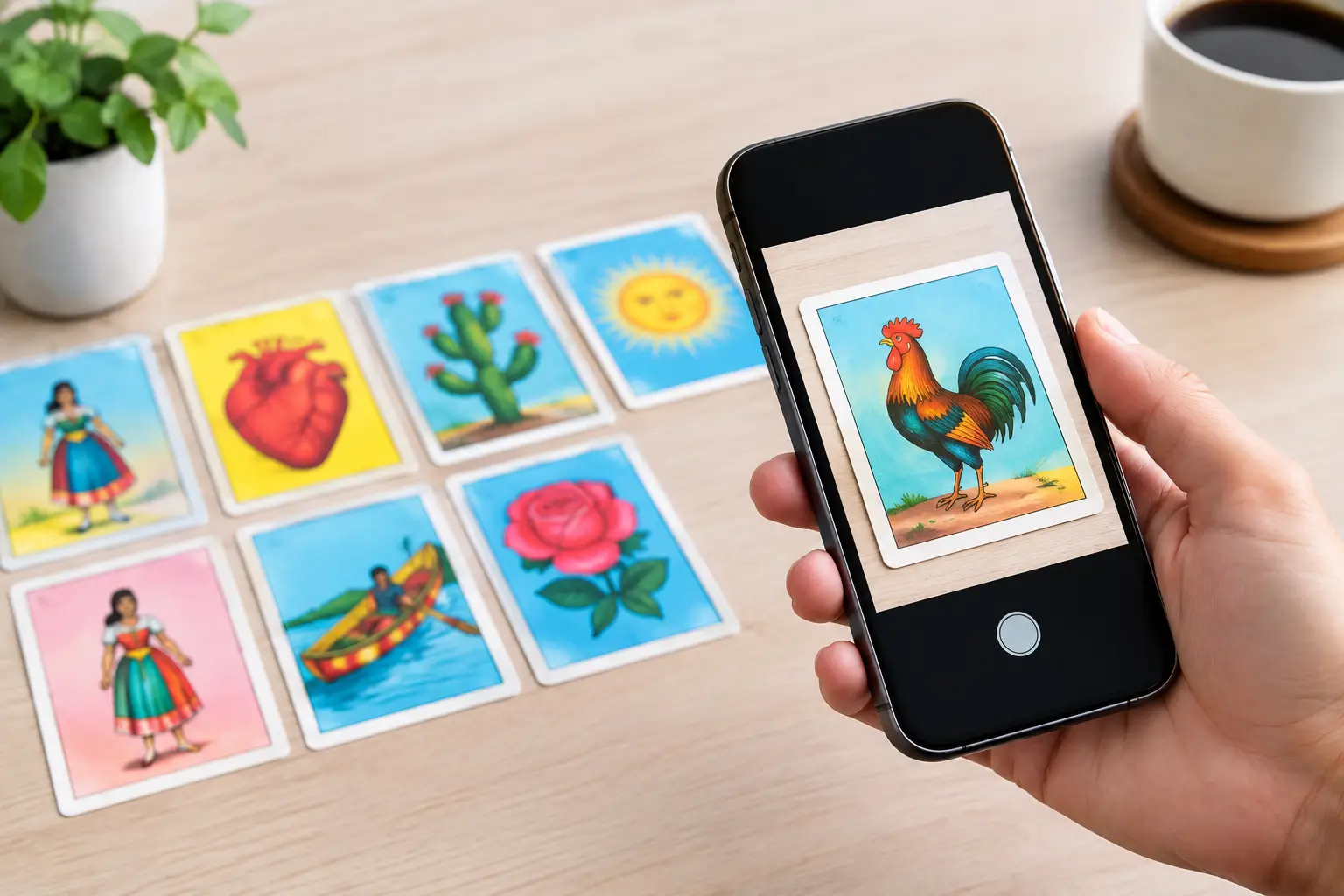
The photo of your cousin laughing at the cookout, your abuela in her favorite sunglasses, or your dog wearing a birthday hat can become the card everyone talks about. Meeting the right photo quality requirements helps those personal moments transform into clean cartoon-style artwork and polished, print-ready Lotería cards - not blurry faces, strange crops, or muddy colors.
You do not need a studio camera or professional editing skills. A recent phone photo can work beautifully. What matters most is choosing images where the person, pet, or object is easy to see, well lit, and framed with enough room to work.
Why Photo Quality Changes the Final Card
A custom Lotería deck asks a lot from each image. Your photo needs to become an illustration, fit within a card layout, pair with custom text, and still look great when printed. That is why a photo that seems "good enough" on a phone screen may not always deliver the same result on a physical card.
Clear source images give the cartoon-style transformation more visual information to work with. Details such as eyes, hair, clothing, expressions, and the outline of a pet or party prop are easier to recognize. The result feels more like the real person or memory you chose.
Print also reveals what screens can hide. A low-resolution image may appear fine in a text message, then look soft or pixelated once it is placed on a card or game board. Starting with a strong image keeps your deck looking intentional from the first card to the last.
Photo Quality Requirements That Matter Most
The best uploads are not necessarily the most formal photos. Candid moments, vacation snapshots, family selfies, and event photos all belong in a personalized deck. Choose the version with the clearest subject and the most usable composition.
Make the Subject Easy to See
Pick a photo where the main person, pet, or object is in focus. Facial features should be visible, especially if the image will become a character card. If you have a choice between a group photo and an individual portrait, the individual portrait is usually easier to transform into a clear card image.
For group pictures, make sure the intended person is large enough in the frame. A face that takes up only a tiny portion of a wide family photo may lose its personality when cropped to card size. You can still celebrate the whole group, but use a closer image when you want one person to be the star.
Start With the Original File When You Can
Upload the original image from your phone or camera whenever possible. Avoid screenshots, images copied from social media, heavily compressed files, or photos repeatedly sent through messaging apps. Those versions often contain fewer pixels, even when they look similar at first glance.
More pixels give you more flexibility for cropping and printing. As a simple rule, a larger file is usually the safer choice. If your phone offers both a standard and high-resolution version, choose the high-resolution original. Do not enlarge a tiny image just to make the file size bigger - that can create softness without adding real detail.
Use Bright, Natural Lighting
Good lighting makes a major difference. Window light, outdoor shade, or a bright room can bring out expressions and color without harsh shadows. Photos taken in very dark restaurants, dim party rooms, or backlit spaces may hide faces and turn details into shadows.
A little drama can be fun, especially for a themed deck. But if the subject’s face is mostly dark or blown out by sunlight behind them, the cartoon-style result has less information to interpret. When possible, choose the photo where light falls on the front of the subject.
Leave Room Around the Subject
A card layout may need to crop your photo into a different shape than the original. Images with a bit of open space around the person or object give you more freedom to position the artwork without cutting off a head, ears, hands, hat, or meaningful detail.
This does not mean every photo needs a blank background. A colorful mural, party table, garden, or family kitchen can add personality. Just avoid photos where the subject is pressed against the edge of the frame or partially hidden behind someone else.
Choose Clean Contrast Over Busy Backgrounds
The most memorable cards are easy to recognize at a glance. A subject in a bright shirt against a simple background will often read more clearly than a subject blending into a crowded room. Strong contrast between the person and background helps preserve the shape of the image during transformation.
Busy backgrounds are not automatically a problem. They can capture the joy of a wedding dance floor, reunion, classroom, or neighborhood event. The trade-off is that a complicated background may compete with the person you want featured. If the moment matters more than visual simplicity, use it. Just make sure the main subject remains clearly visible.
Common Photos to Replace Before You Upload
You do not have to chase perfection. Still, replacing a few types of photos can save time and lead to a more cohesive deck. Look for another option if the image is extremely blurry, very dark, badly overexposed, or covered by filters that erase natural features.
Skip photos where a face is hidden by sunglasses, a hand, hair, a microphone, or another person unless that detail is part of the joke. Avoid distant crowd shots when you need a recognizable character. Also check for motion blur, which often appears in photos taken during dancing, sports, or fast-moving celebrations.
If an older family photo is the only image you have, use it. Its emotional value may matter far more than technical perfection. Scan it carefully, keep it flat and evenly lit, and choose the highest-quality scan available. A treasured memory deserves a place in the deck, even if it has a little vintage softness.
A Quick Pre-Upload Check
Before adding photos to your deck, open each one at full size. Ask yourself whether you can clearly see the subject’s face or defining features, whether the image is bright enough, and whether there is enough room to crop without losing what makes it special.
Then consider the card name. If you are making La Comadre, El Primo, La Reina del Karaoke, or El Taquero, the photo and text should work together instantly. A great card has visual personality and a name that makes people smile before the game even starts.
Try to keep your image selection consistent, too. Your deck does not need identical lighting or matching outfits, but a mix of sharp, bright images and dark, grainy images can feel uneven after printing. Selecting the clearest version of each person helps create a more polished set.
Build for Cards and Game Boards
Cards are small, so simple, recognizable subjects tend to shine. Game boards display many images at once, which makes clarity and contrast even more valuable. A photo that works on a card may need a slightly different crop on a board to stay easy to identify.
This is where a focused workflow helps. With Modern Lotería Studio, you can upload your photos, cartoonify them, customize the card text, and generate print-ready cards and game boards from the same project. Review the image placement before finalizing your materials, especially for subjects near the edge of the frame.
For a celebration deck, think beyond portraits. A wedding cake, a beloved family recipe, a graduation cap, a lucky pair of boots, or a neighborhood landmark can become a card with as much meaning as a face. The same photo rules apply: make the focal point clear, bright, and large enough to recognize when printed.
Let the Real Moments Lead
The best custom Lotería decks are not built from generic perfect pictures. They are built from the people, pets, places, and running jokes that make your group feel like your group. Choose the clearest version of each memory, give it room to become art, and let every card bring someone back to the moment it came from.